
IT Service Management, Ready and Integrated
Request, incident and change management processes come pre-built; all you need to do is add the fields specific to your organization.
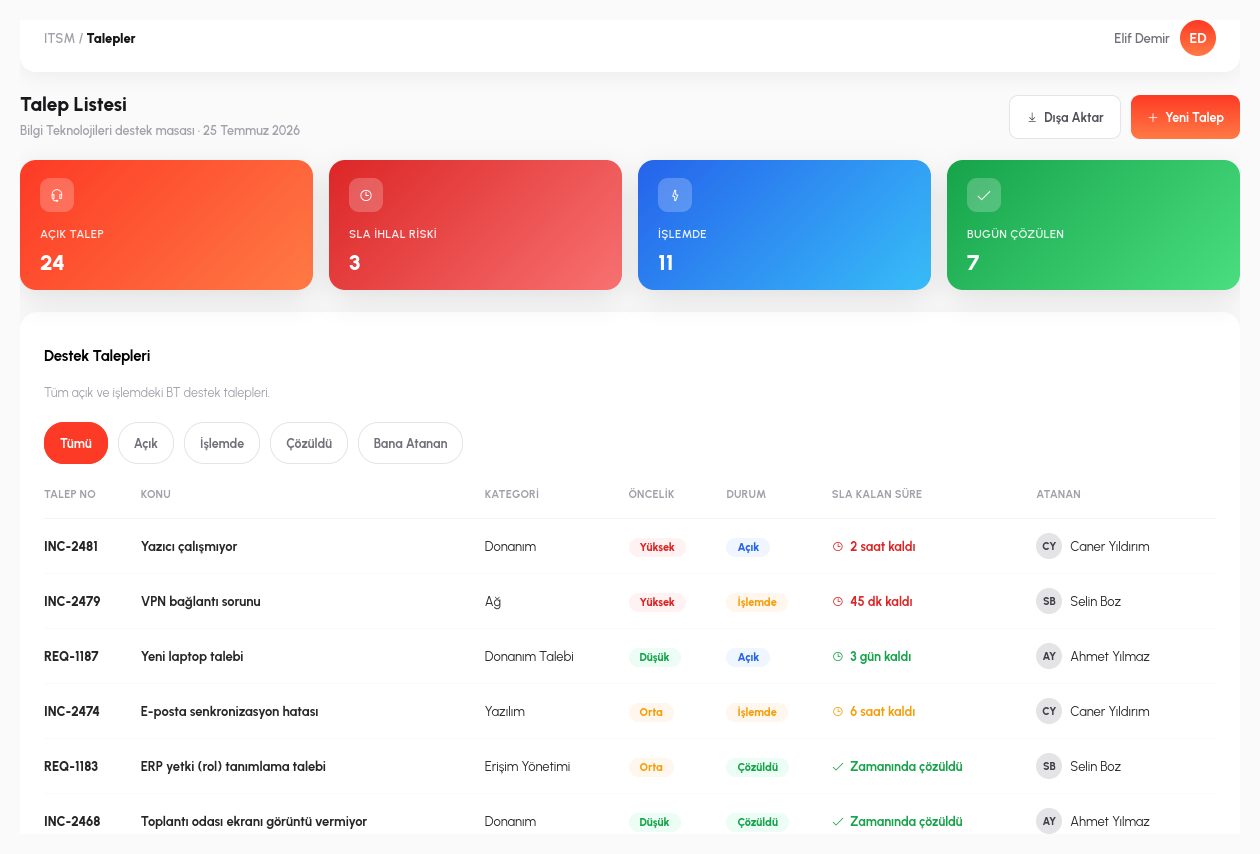
Every Request Has an Owner and an SLA
Users open a request or incident ticket through a portal. The moment a ticket is created, the system doesn't leave it blank: it looks at the title and description entered and suggests a category and priority; the user doesn't wrestle with a classification list from scratch, they simply confirm the suggestion or change it if needed. A ticket that lands in the right category is also automatically routed to the relevant team; the request doesn't sit in a triage queue first.
Every ticket carries an SLA (service level) target defined by its criticality: a critical server failure and a minor printer issue are not bound to the same response/resolution time target. The system tracks this deadline in the background and automatically alerts the assigned technician before the target expires, and their manager if time is running critically short. Problems stop being something noticed only after the deadline has passed.
For example, a ticket opened with the title "I can't connect to the email server" automatically falls into the "Infrastructure / Critical" category and reaches the relevant team with a 1-hour response target; if it is still unassigned at the 45th minute, an alert goes to the technician's manager. A "paper jam in the printer" ticket opened at the same time is flagged as "Hardware / Low" and waits with a daily target; the two tickets don't delay each other in the same queue.
No Change Is Applied Without Approval
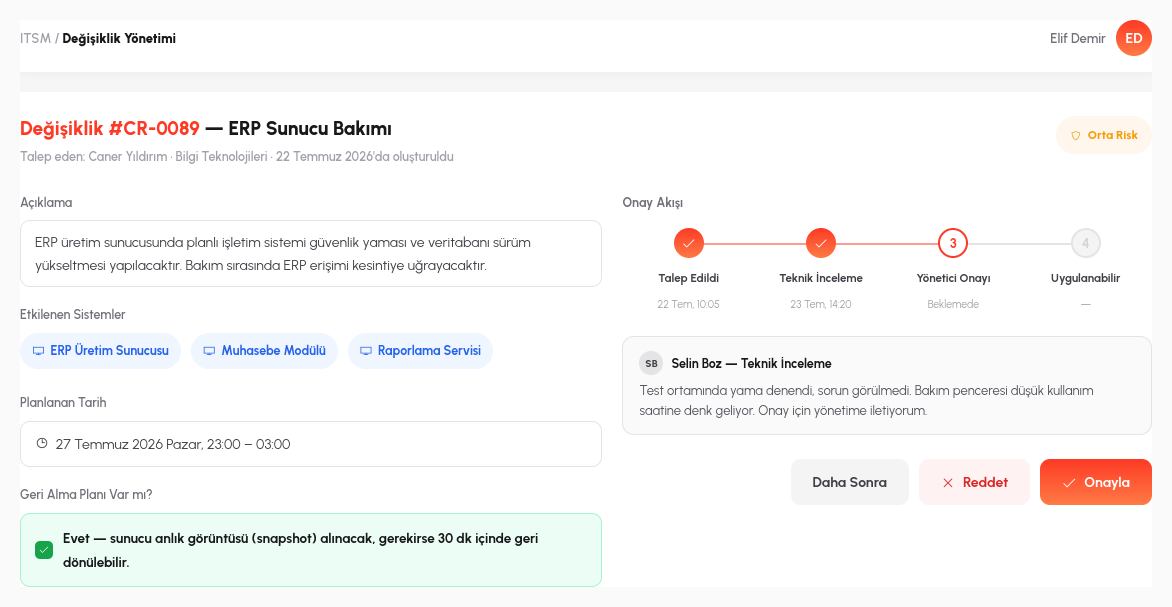
Every change that touches a production system (a server update, a configuration change, an integration upgrade) first goes through a defined approval process. The person requesting the change records what they want to change, why, and which systems will be affected; the approver decides with full visibility of the risk. An unapproved change never reaches production, and who changed what, and when, is permanently tracked; when an issue arises, no one has to hunt for the answer to "what changed last"; it's already in the record.
The knowledge base, in turn, converts the resolution of recurring incidents into institutional memory: when a technician solves a problem, they can save it as an article. When the next ticket is opened, the system looks at its title and description and automatically suggests similar past resolutions; the technician doesn't have to research the same problem from scratch, and resolution times for recurring incidents shrink.
For example, if a VPN connectivity issue has occurred three times before and its solution has been written into the knowledge base, that solution is suggested to the technician the moment the fourth ticket is opened; the technician applies the article and closes the ticket. Likewise, when an email server update goes through change management, the request form states which integrations (for example, a process step that sends bulk notifications) could be affected; the approver never says "yes" without seeing the risk.
- Automatic Classification: the moment a ticket is opened, it suggests a category and priority based on the title/description and automatically routes it to the right team.
- SLA and Escalation: response/resolution time targets are tracked by criticality level; before the target expires an alert goes to the technician, and to their manager if needed.
- Change Approval: no change touching a production system is applied without passing through the approval process; who changed what, and when, is permanently tracked.
- Knowledge Base Suggestions: when a new ticket is opened, the system looks at the title/description and automatically suggests similar past resolutions.
- Shared Audit Trail: the same process engine, the same user directory and the same audit trail are used; no separate license or authentication setup is required.
The Same Audit Trail as the Process Engine
SLA Tracking
Priority-based target times + automatic escalation.
Change Approval
Controlled change through a low-code approval chain.
Knowledge Base
A searchable archive of past resolutions.
Service Reports
Performance metrics integrated with the Dashboard module.
Let's Build Your IT Service Process Together
In a 15-minute demo, let's bring one of your existing request processes to life in RiverAI.
Request a Demo