
Not a Template, a Publication-Quality Page
A multi-page, completely free-form design canvas for reports, contracts, presentations, and certificates, while AI reviews and refines every page alongside you.
Not a Template That Boxes You In
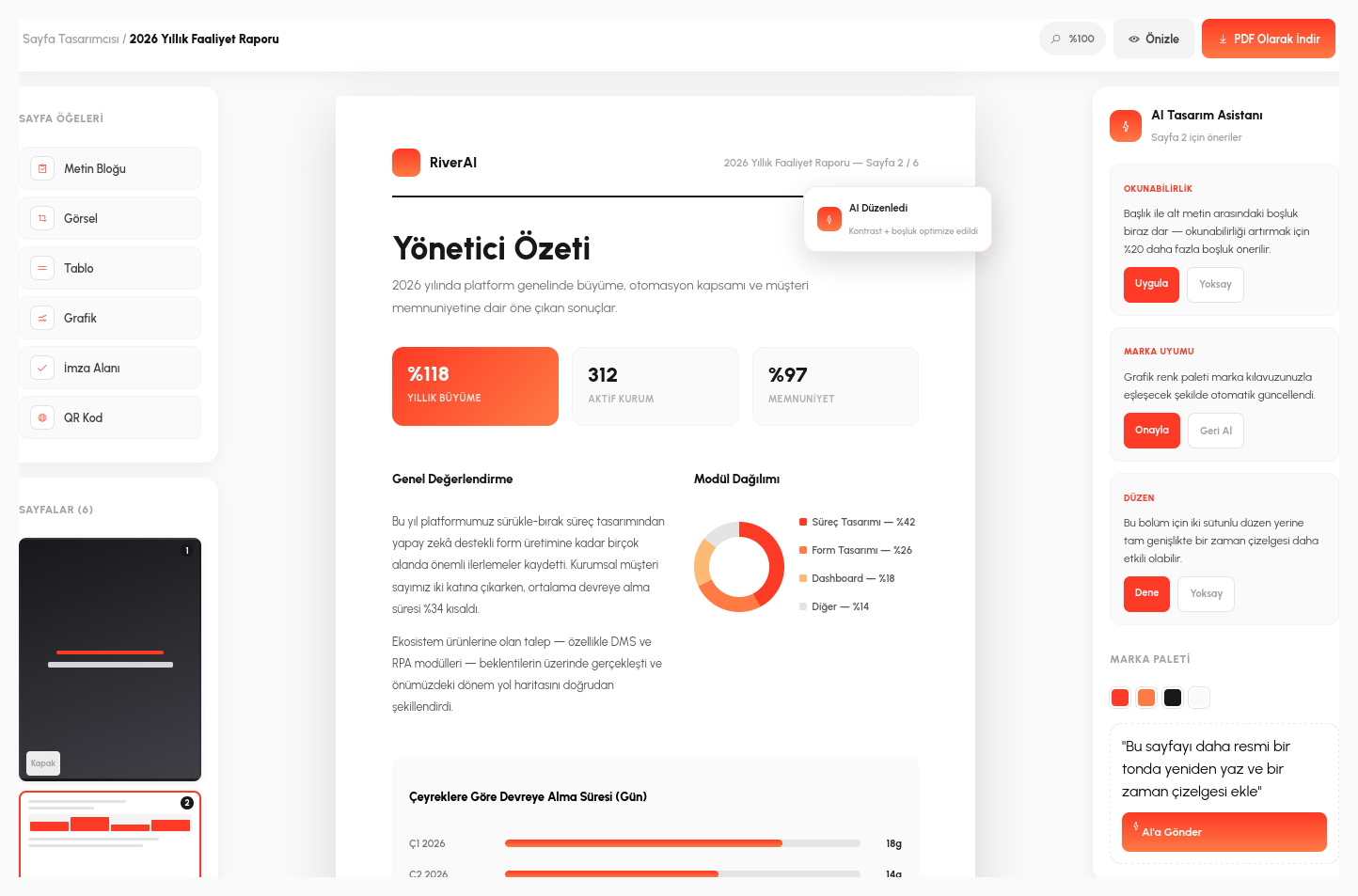
Most "document builders" have you fill in the blanks of a fixed template: logo here, title there, everything else locked in place. RiverAI's page designer works the opposite way: you place elements such as text blocks, images, tables, charts, signature fields, and QR codes completely freely on a blank canvas. The cover of an annual report and the last page of a contract are not forced into the same mold; each is designed according to its own logic.
Documents are not limited to a single page: a multi-page document (from a report's cover to its table of contents, from chapter headings to the appendices) is created in a single design session. Small previews of the pages line up in the left panel; duplicating a page, reordering it, or deleting it takes one click, just like in presentation software, except the output is a publication-quality PDF.
Data-driven components such as charts, tables, and KPI cards are part of the page too; a live budget chart or a department breakdown chart can be placed directly on the "executive summary" page of an annual report; no need to export it as a separate image and paste it in.
AI Stands Beside You Like Your Designer
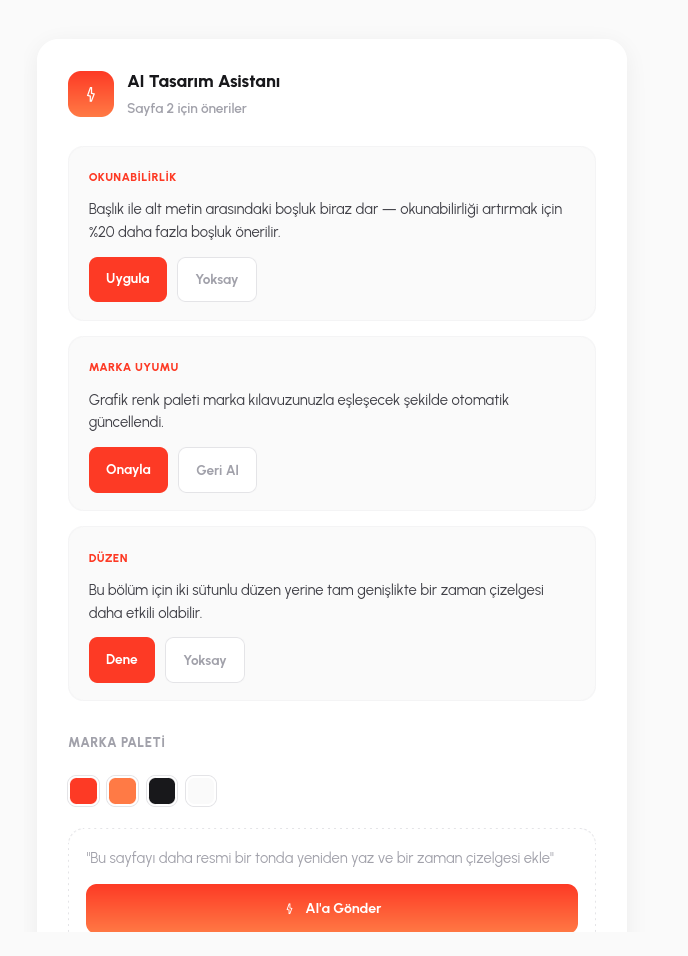
When the page is ready, AI doesn't wait quietly in the background; it reviews the design with the eye of a real designer and offers concrete, actionable suggestions, such as "the spacing between the heading and the subtext strains readability; 20% more spacing is recommended." Each suggestion is applied or dismissed with a single click. AI doesn't decide, you do; it simply flags what might otherwise be missed.
Brand consistency is checked automatically as well: if a chart's color palette doesn't match your organization's brand colors, AI notices and corrects it; if a page's layout doesn't suit the content, it proposes an alternative layout ("a timeline would work better than two columns for this section"). The result is a design language that looks consistent across all of the organization's documents, not just one person's.
If you prefer, you can also steer AI directly by typing: a request like "rewrite this page in a more formal tone and add a timeline" updates the current page's content and layout in that direction; you build on the design you have, without starting from scratch.
- Free-Form Canvas: design each page according to its own logic without being confined to fixed template boxes; multi-page documents come together in a single session.
- AI Design Review: AI offers concrete suggestions on readability and layout; each suggestion is applied or dismissed with one click.
- Automatic Brand Compliance: charts and color palettes are automatically checked and corrected to match the organization's brand guidelines.
- Natural-Language Rewriting: with a request like "rewrite in a more formal tone," the current page is updated in place, not rebuilt from scratch.
- Live Data Components: charts, tables, and KPI cards are part of the page; no exporting them as separate images and pasting them in.
Everything a Document Could Need
Publication-Quality PDF
Every document you design is exported with one click as a print-ready, publication-quality PDF.
Multi-Page Documents
Documents with a cover, table of contents, and chapters are prepared in a single design session.
Live Data Visualization
Charts, tables, and KPI cards are placed on the page together with their live data source.
Signature and QR Fields
E-signature and QR code fields for contracts and official documents are added as ready-made components.
Let's Design Your First Document Together
In a 15-minute demo, let's design your own report or contract template live in RiverAI.
Request a Demo