
When the Process Advances, the Card Creates Itself
RiverAI kanban boards are not an isolated task management tool; they are real-time boards integrated with your process engine.
Everyone Sees the Same Board, at the Same Moment
RiverAI kanban boards are connected in real time over SignalR behind the scenes. When a teammate moves a card, you see it at the same moment, without refreshing the page or even pressing a button; the card glides across columns right before your eyes. This is not a simulation like "auto-refresh every few seconds"; it's a real update pushed instantly from the server to the browser.
In practice this means: if five people are looking at a department board at the same time, they all see exactly the same state. When someone moves a card from the "In Review" column to "Done", the other four watch the same move at that very moment: no guessing who did what and when, no refreshing the page and wondering "is this up to date?". When several people work on the same board, the risk of conflicts, overwrites, or decisions based on stale data disappears.
Boards can also be divided into team- or department-based swimlanes: for example, on the same process board, "Purchasing", "Finance", and "Warehouse" swimlanes can sit side by side; each team sees its own cards in its own lane without losing sight of the big picture.
No Need to Create Cards by Hand
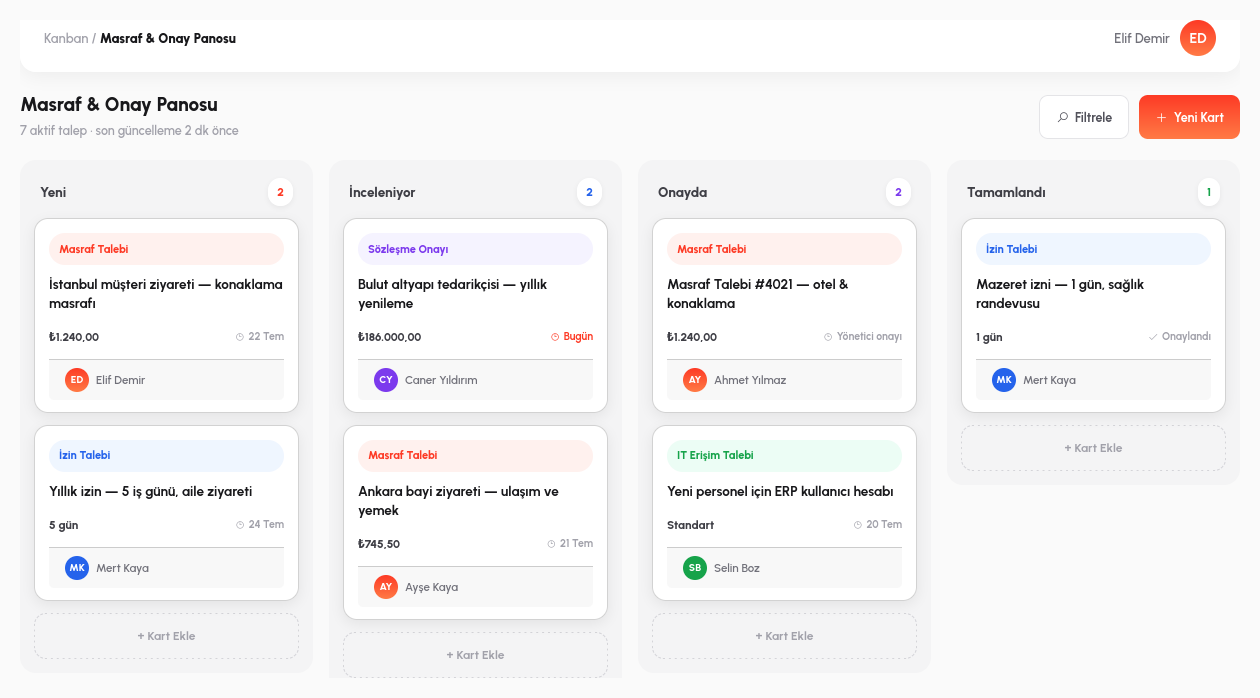
In RiverAI, kanban is not a separate to-do list; it is the live view of a process instance. When a process reaches a certain step, the card corresponding to that step appears on the relevant board by itself; nobody says "create a new card", nobody types a title or a description. The card is born with the process's own data and its own context.
The consequence is a behavior most teams aren't used to: dragging a card and dropping it into another column isn't just a visual rearrangement; it means actually approving or advancing that process step. For example, when you drag an expense request card from the "In Review" column to the "Approved" column, more happens than a box moving on the screen: behind the scenes, the process engine genuinely marks that step as approved, moves on to the next step, and a notification goes out to the relevant person. There is no gap between the visual move and the real workflow transition.
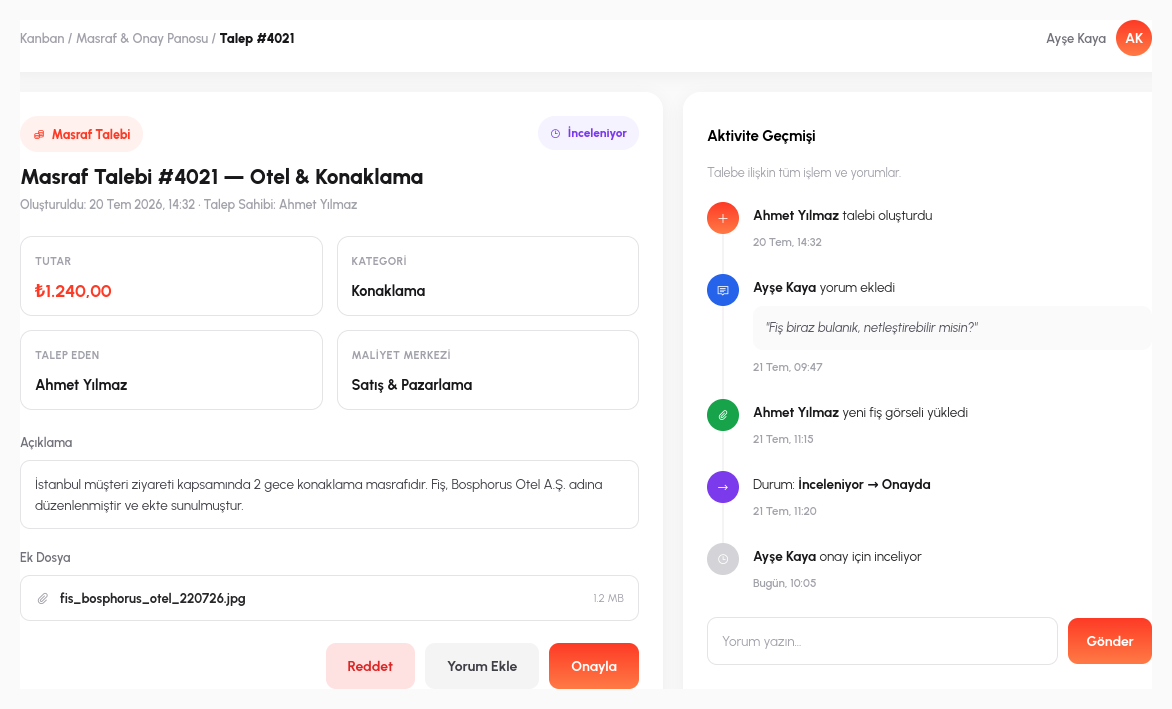
And when you click on the card, the entire history of that process instance appears as a timeline: which step was completed when, who gave which approval, which note was added, all visible one by one. The card detail answers not only "what's the status right now" but also "how did we get here".
- Real-Time Sync: connected over SignalR; a card being moved appears instantly on every other user's screen, without a page refresh.
- Automatic Card Birth: when the process reaches a certain step, the card creates itself; nobody types a title or a description by hand.
- Drag = Process Advancement: moving a card to another column isn't just visual; behind the scenes it genuinely approves/advances that process step and triggers a notification.
- Timeline in the Card Detail: which step was completed when, and who gave the approval, is visible one by one.
- Department-Based Swimlanes: the same board can be divided into team/department swimlanes; each team sees its own lane.
Let's Connect Your Board to Your Process
In a 15-minute demo, let's show automatic card creation from a process, live.
Request a Demo