
Your Company's Digital Meeting Point
Announcements, the organization chart, the employee directory and internal communication come together in one place and feed your processes directly.
Who Reports to Whom: The System Itself Knows
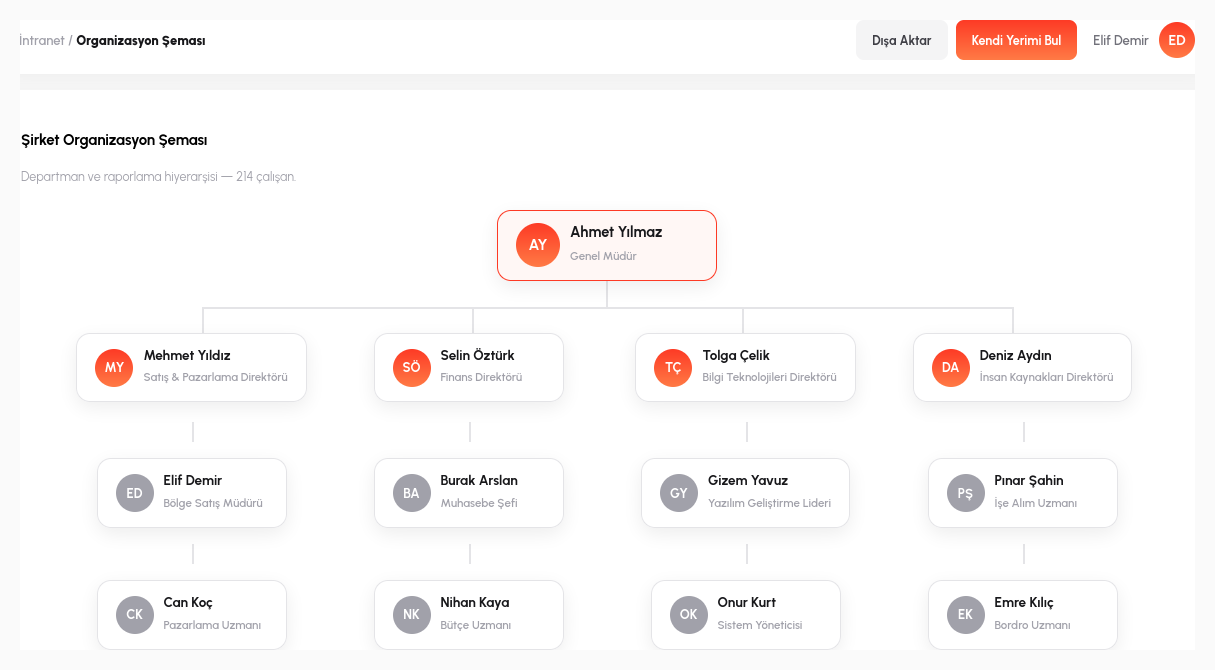
The management hierarchy and department structure are defined in the Intranet. But this is not a static org chart image pinned to a wall and forgotten; it is a live data source that the rest of the system can read directly. Which department an employee belongs to, who they report to, and who works under whom is managed in a single place, and every change is reflected instantly.
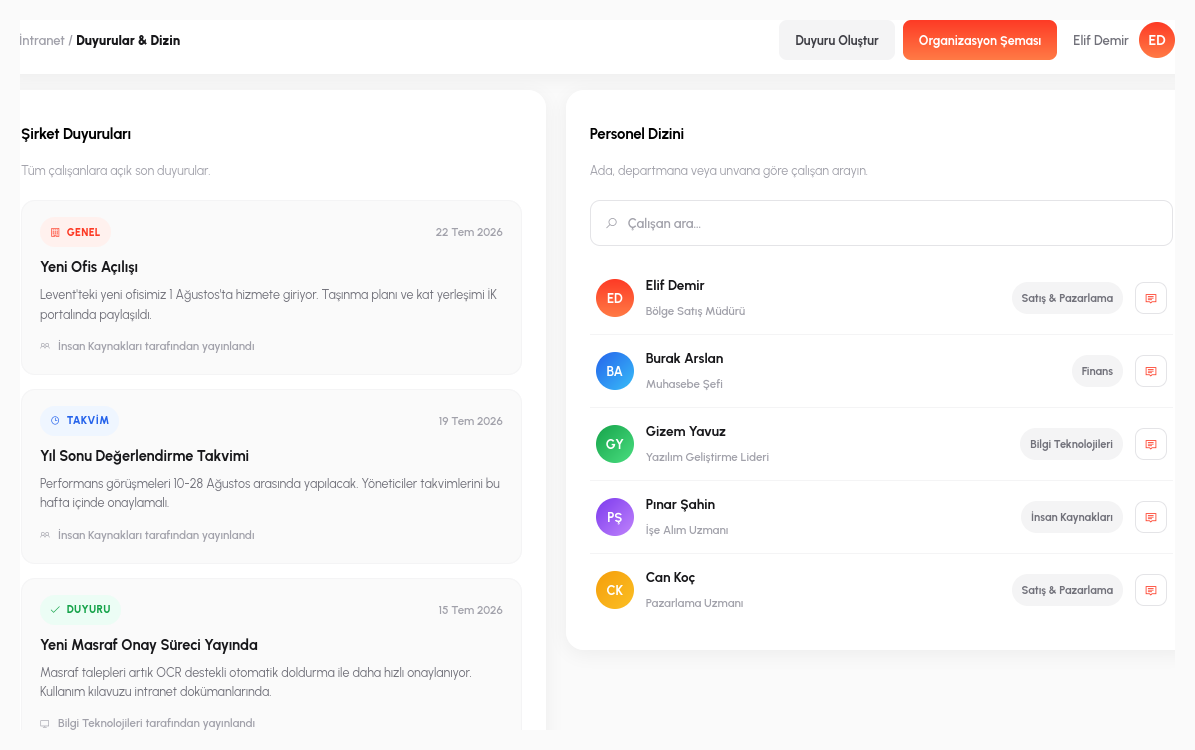
The employee directory is built on top of this structure: by searching by name, department or title, you can find out who an employee is, which department they work in and who they report to. A new hire can answer questions like "who is the graphic designer in the marketing department" or "who reports to the finance manager" from the directory themselves, instead of having to ask someone.
The real value of this liveness shows when the organization changes: when an employee's manager changes or a department is restructured, it is updated in one place and everything that depends on it (search results, the org chart view, the directory record) stays current automatically. Unlike an org chart kept on paper, the change never turns into an inconsistency discovered six months later.
"My Manager Should Approve" Is No Longer Written by Hand
When a process designer builds a step that requires "manager approval", they don't type in who will give that approval and map it name by name; it is resolved automatically from the organization chart in the Intranet. Whoever opens the request, the system already knows their registered manager; during process design, no one has to hunt for the answer to "who is the manager in this department".
Company announcements live in the same place: when an announcement is published, it becomes visible according to its target audience: a single department or the entire company. There is no separate mailing list or separate bulletin board to manage; the announcement appears on the intranet home page the employee is already looking at.
Process integration goes one step further: a leave request widget can be embedded directly into the intranet home page. The employee doesn't switch to a separate application to create a leave request; they fill in and submit the form without ever leaving the intranet, and the request automatically lands in the approval process already defined behind the scenes, with the right manager. For example, an employee enters a three-day leave request from the "Leave Request" widget on the intranet home page; the system finds their registered manager from the org chart and routes the request to them. The employee never has to search for which form to open from which menu.
- Live Org Chart: the management hierarchy and department structure are defined in one place, and every change is reflected instantly.
- Automatic Approver Resolution: the "manager approval" step in a process resolves who approves from the org chart, instead of manual name-by-name mapping.
- Employee Directory: search by name, department or title to find out who an employee reports to.
- Targeted Announcements: an announcement is published to its target audience: a single department or the entire company.
- Embedded Process Widgets: forms such as leave requests can be embedded into the intranet home page, and the request is routed to the right manager automatically.
Corporate Knowledge, Gathered in One Place
Live Org Chart
Manager and department changes are reflected instantly.
Employee Directory
Searchable, up-to-date employee information.
Announcements
Department-level or company-wide internal communication.
Process Integration
Approval chains are fed automatically from the org chart.
Let's Connect Your Organization to Your Processes
In a 15-minute demo, let's bring your own organizational structure to life in RiverAI.
Request a Demo