
The System That Reads, Matches and Posts Invoices
Incoming e-invoices are read automatically and matched against your accounting records by supplier and line item; manual data entry largely disappears.
The Moment an Invoice Arrives, Its Data Is in the System
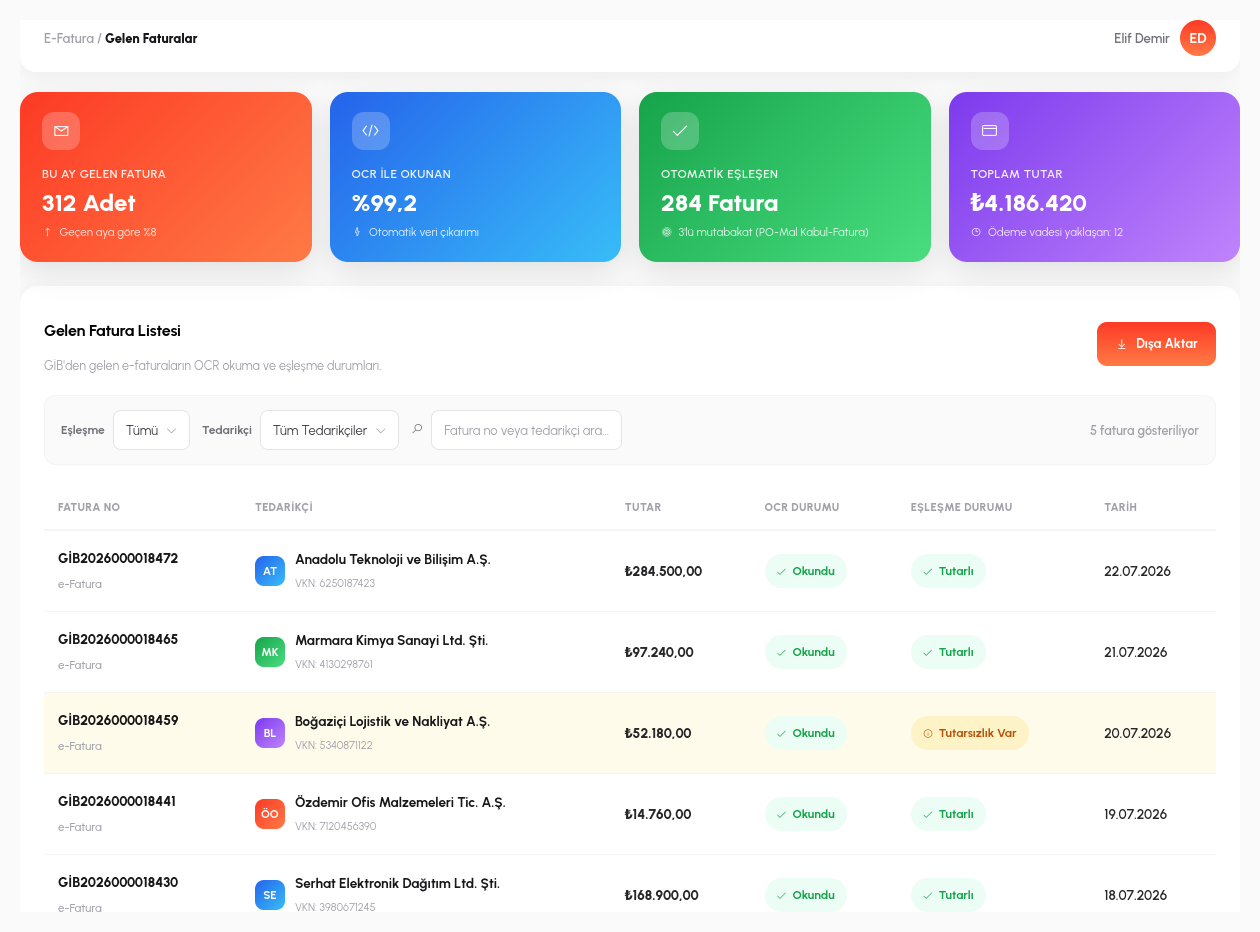
An incoming e-invoice arriving in the standard UBL format is parsed structurally right away: supplier information, the line-item list, unit prices, amounts and tax details are transferred into the system without a single keystroke. If a supplier still sends paper or scanned PDF invoices, OCR steps in: it reads the table in the image, the line rows and the total amount, and converts them into the same structured data; whatever the source format, the result becomes the same standard record.
This automation does not mean "accept everything as is". If an expected field is missing, an amount cannot be read, or the invoice format deviates from the templates the system recognizes, the record automatically drops into a manual review queue and is flagged to the responsible person. The system never silently records ambiguous data by guesswork; every case it cannot be sure about is set aside for a human to review.
From that moment on, the recorded invoice lives in the same system as your existing purchasing and accounting data: there is no separate "scan the invoices" project or external OCR tool to set up, because the flow is already on the same platform from the moment the PO is created.
The System Catches the Mismatch, You Make the Call
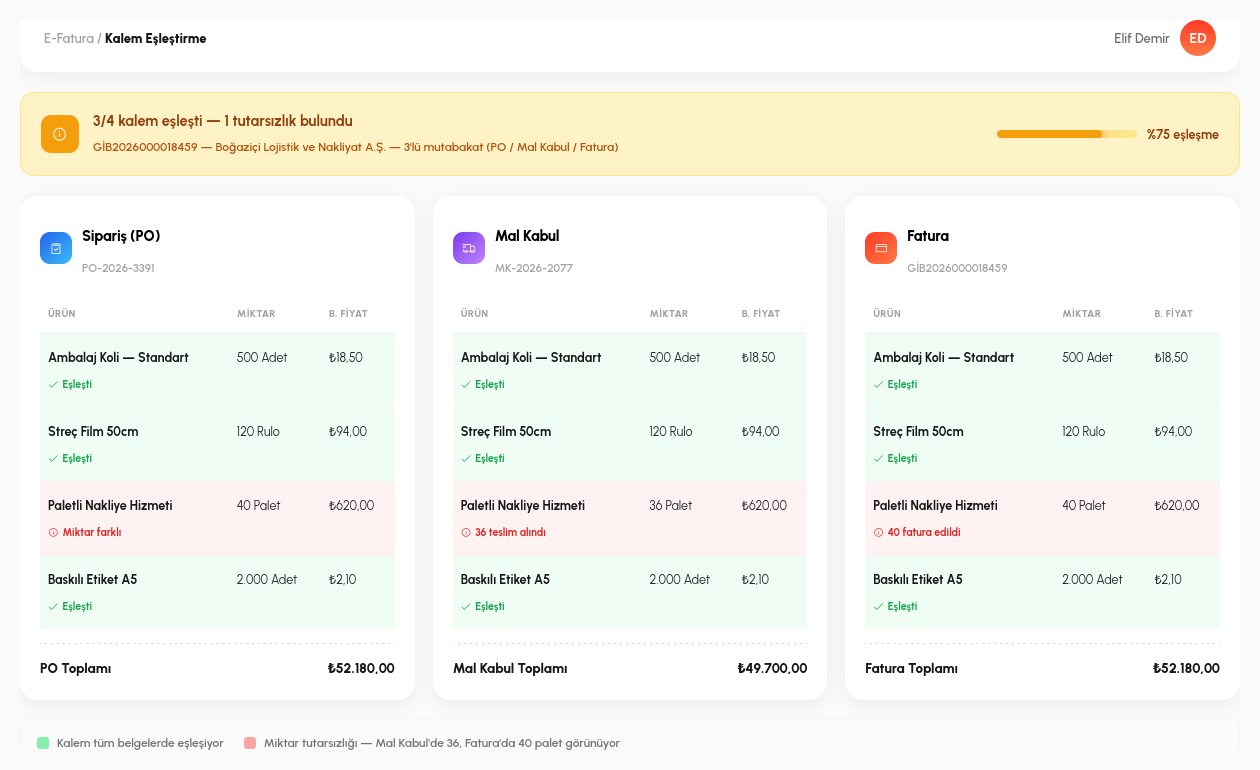
The invoice that has been read is automatically matched line by line against the purchase order (PO). Here the system applies the classic three-way match: the order, the goods/services receipt record and the invoice. If all three agree on the same quantity and the same price, the invoice flows straight into the approval process, and no human ever has to manually check "is this correct".
If the three don't agree (say the order covers 100 units but the invoice was issued for 110, or the price approved at goods receipt doesn't match the price on the invoice), the record drops into the approval process automatically, and an instant notification goes to the responsible person, stating the type of discrepancy (quantity difference, price difference). That person doesn't compare rows one by one; the system presents them with each mismatched line already marked, along with the reason.
This is where an audit library comes into play: if a similar discrepancy has come from the same supplier before (for example, a supplier that consistently shows a 2% rounding difference), how that difference was handled in the past is presented as a reference. The decision-maker doesn't start from scratch; they proceed with the organization's previous decision about that supplier in view, and consistency becomes institutional memory rather than a preference that varies from person to person.
- OCR + UBL Parsing: UBL-format e-invoices are parsed structurally, while scanned/PDF invoices are read with OCR; both are converted into the same standard record.
- Manual Review Queue: if an expected field is missing or the invoice doesn't fit a recognized template, the record is automatically flagged to a human, never silently recorded by guesswork.
- Three-Way Match: order, goods receipt and invoice are compared automatically on quantity/price; if they agree, it goes to approval; if not, it is routed to the responsible person with the discrepancy type stated.
- Audit Library: similar past discrepancies from the same supplier, and the decisions made at the time, are presented as a reference.
- Accounting Integration: an approved invoice is automatically turned into an accounting entry.
When the Invoice Is Approved, the Entry Creates Itself
Automatic OCR
Automatic parsing of UBL-format e-invoices.
Line-Item Matching
Automatic comparison against the supplier/product catalog.
Approval Flow
Multi-level, low-code approval process based on amount.
Accounting Integration
Approved invoices are turned into accounting entries.
Let's Automate Your Invoice Process Together
In a 15-minute demo, let's process one of your sample invoices live in the system.
Request a Demo